Book and price
Import a rate confirmation or enter the load, review the lane and protect the target margin.
Plan loads, guide drivers, protect margin, collect documents and close the week in one practical workspace your team can understand.
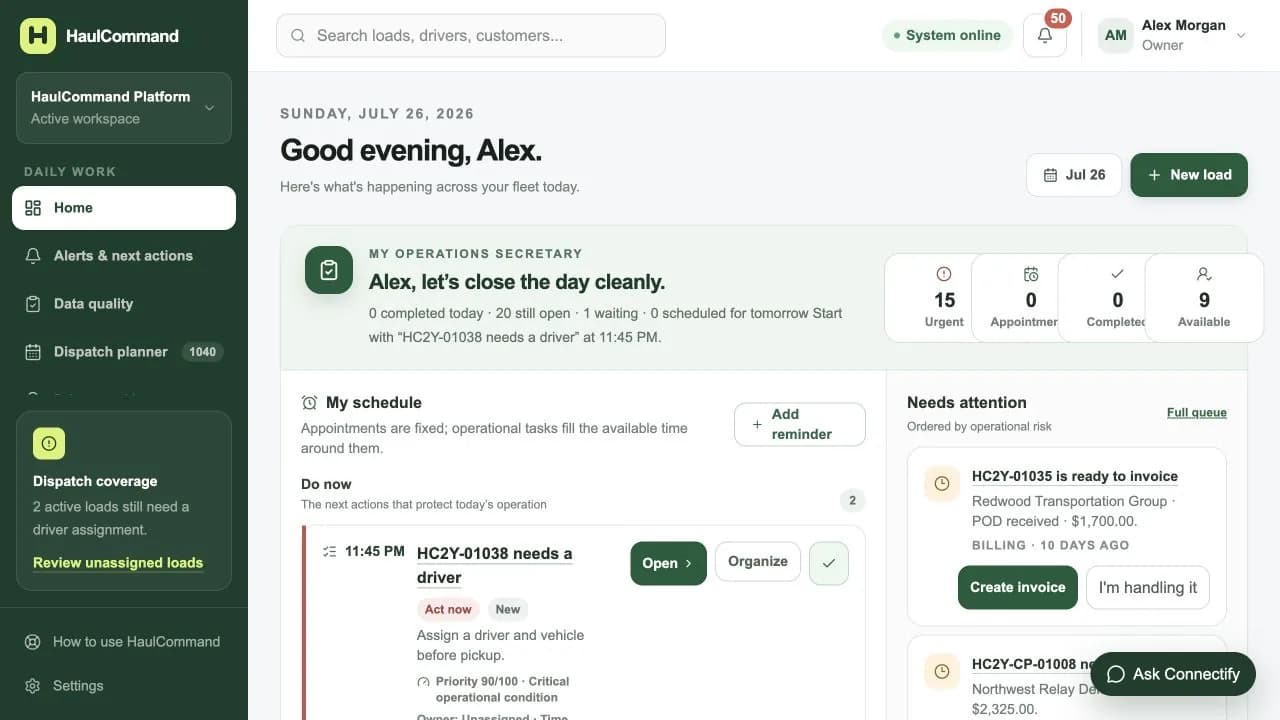
One workflow from booking to payment
HaulCommand follows the way trucking teams already work, then removes duplicate entry, hidden information and missed follow-up.
Import a rate confirmation or enter the load, review the lane and protect the target margin.
Place the load on the correct driver, truck and trailer with complete appointment windows.
Keep stops, ETA, GPS, messages, documents and exceptions tied to the same load.
Confirm delivery, create payroll and dispatch billing, then follow payment and funding.
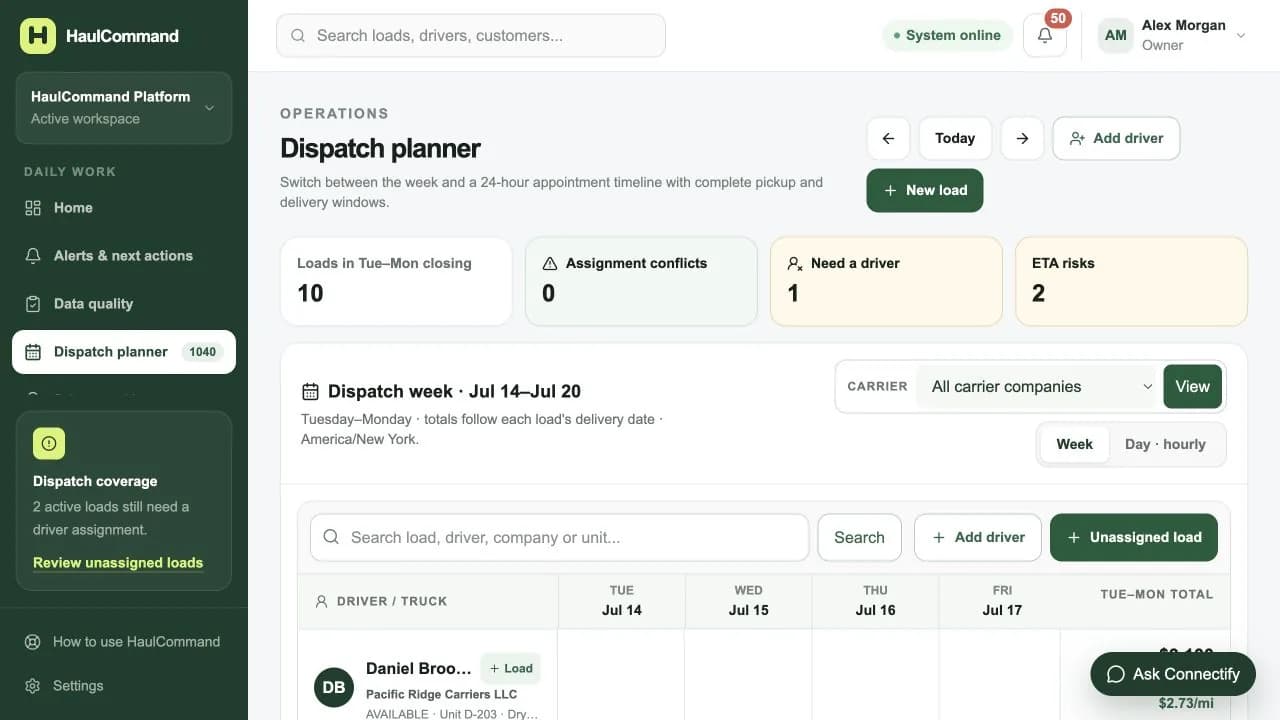
Dispatch planner
Switch between a Tuesday–Monday closing week and an hourly view. See conflicts, loads that need a driver and ETA risk before the phone starts ringing.
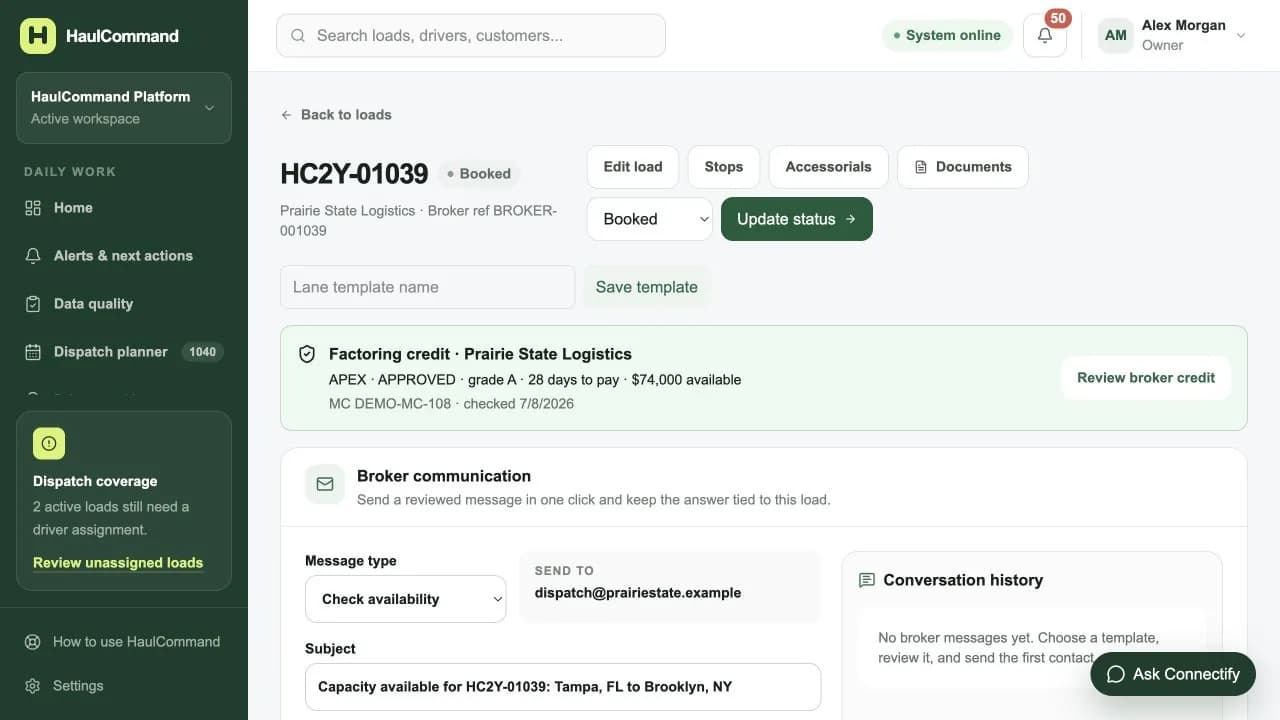
Load 360
Credit, broker email, driver messages, documents, stops, equipment, ETA, billing and pay all stay connected to the shipment that created them.
Less retyping. Better handoffs.
Dispatch can act, accounting can verify and the owner can audit the same operational history.
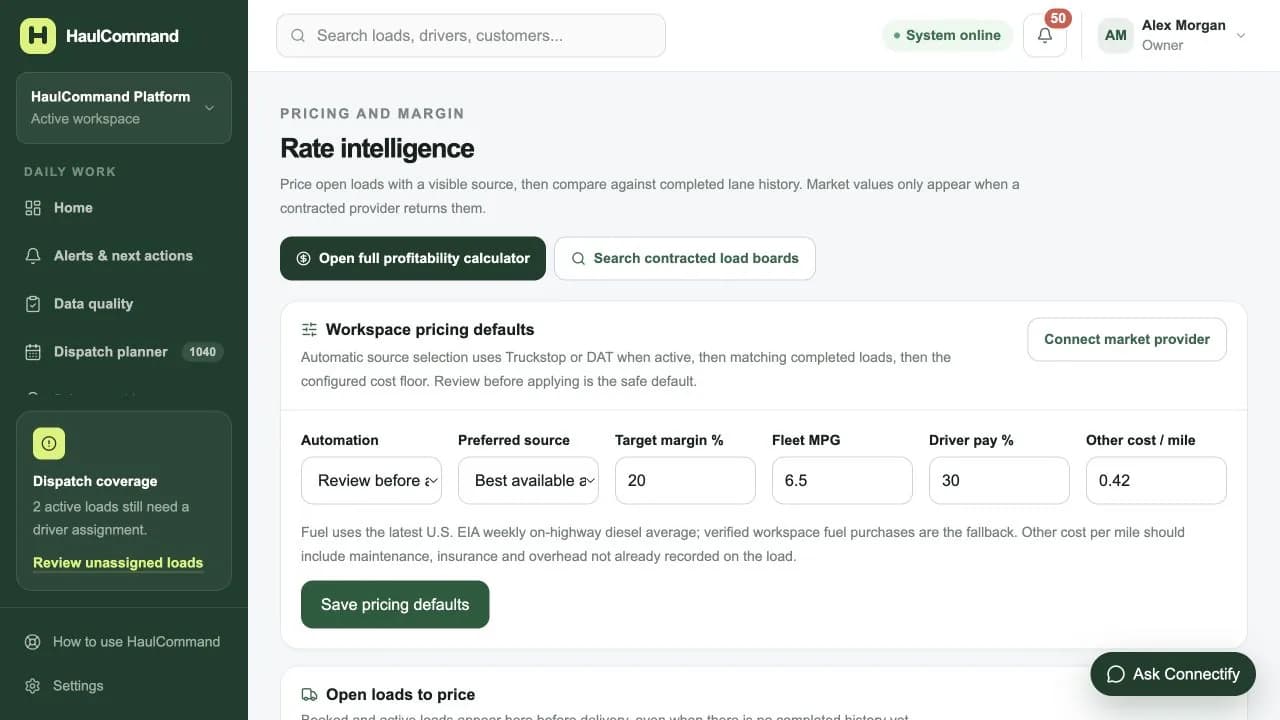
Rate intelligence
Compare market providers when connected, completed lane history and your own operating floor. Every recommendation keeps its source visible for review.
Loaded + empty
True trip miles
Fuel + MPG
Truck-specific cost
Driver + dispatch
Configured pay
Target margin
Negotiation floor
Close the loop
Review production by client and driver, then prepare individual payroll statements and consolidated dispatch billing without mixing the two calculations.
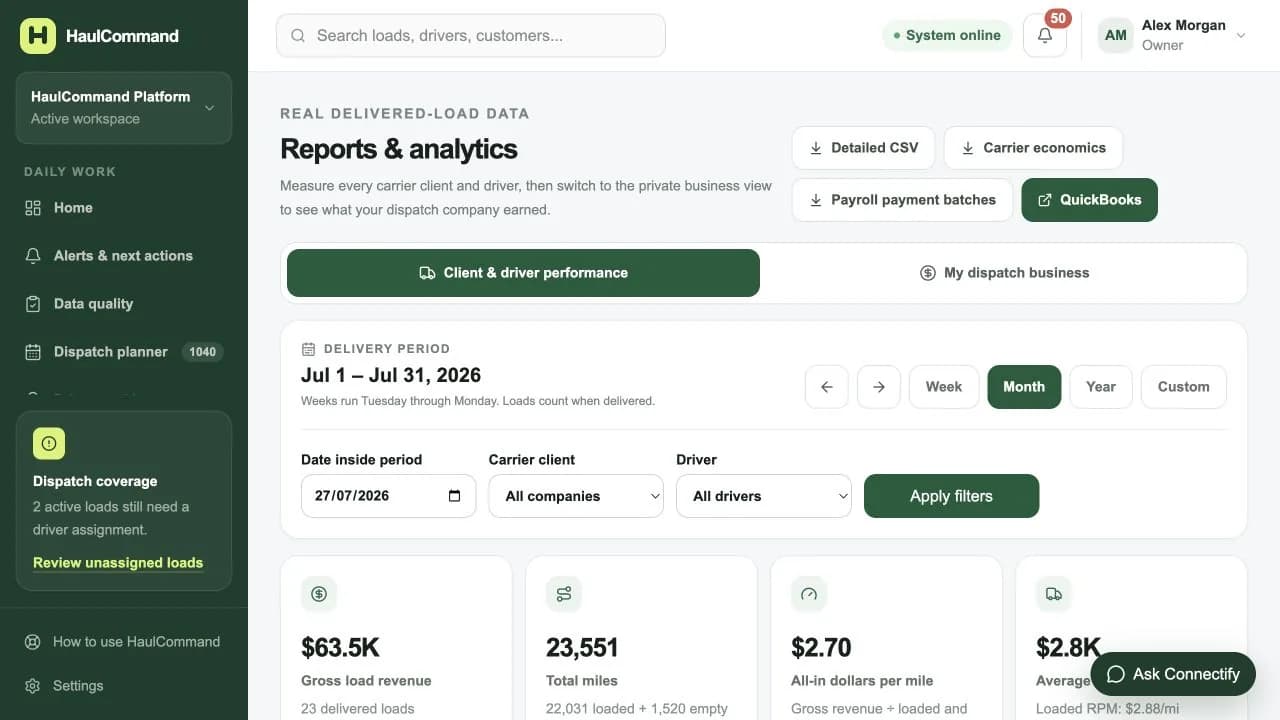
Weekly, monthly, annual and custom views separate carrier performance from the private revenue of the dispatch business.
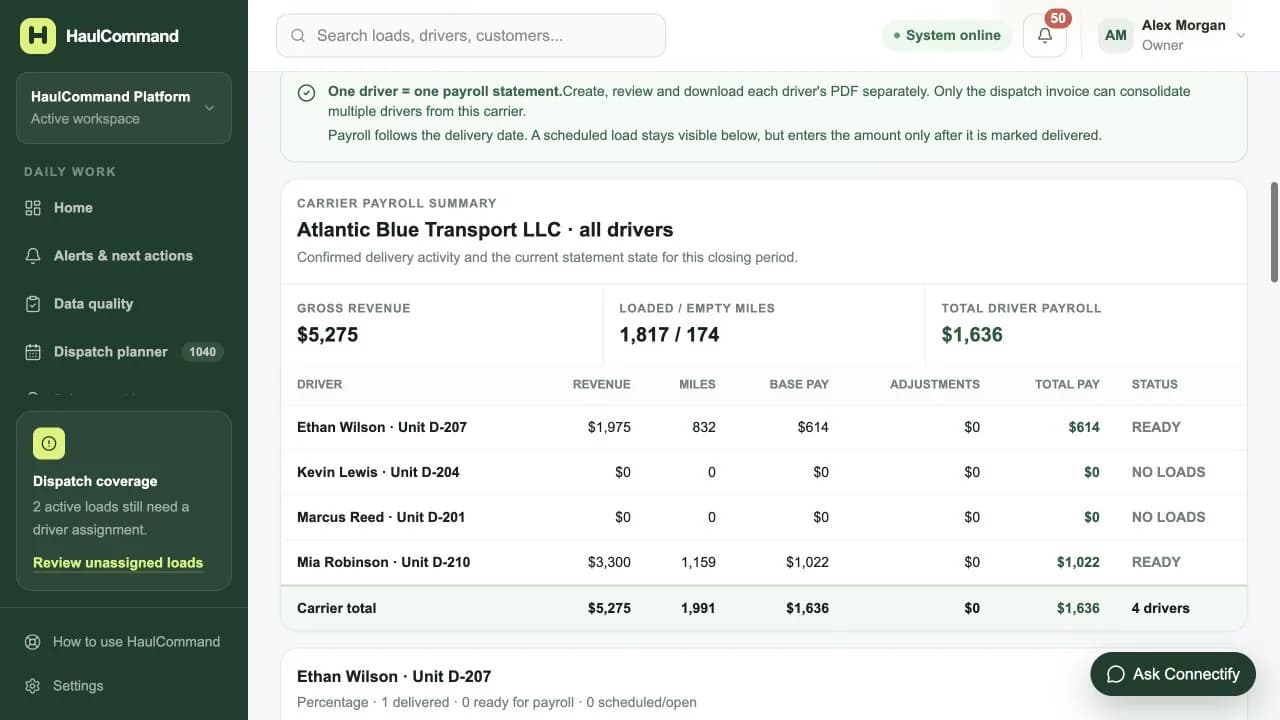
Percentage, per-mile and load-based pay stay independent from the dispatch fee, with preview and document history.
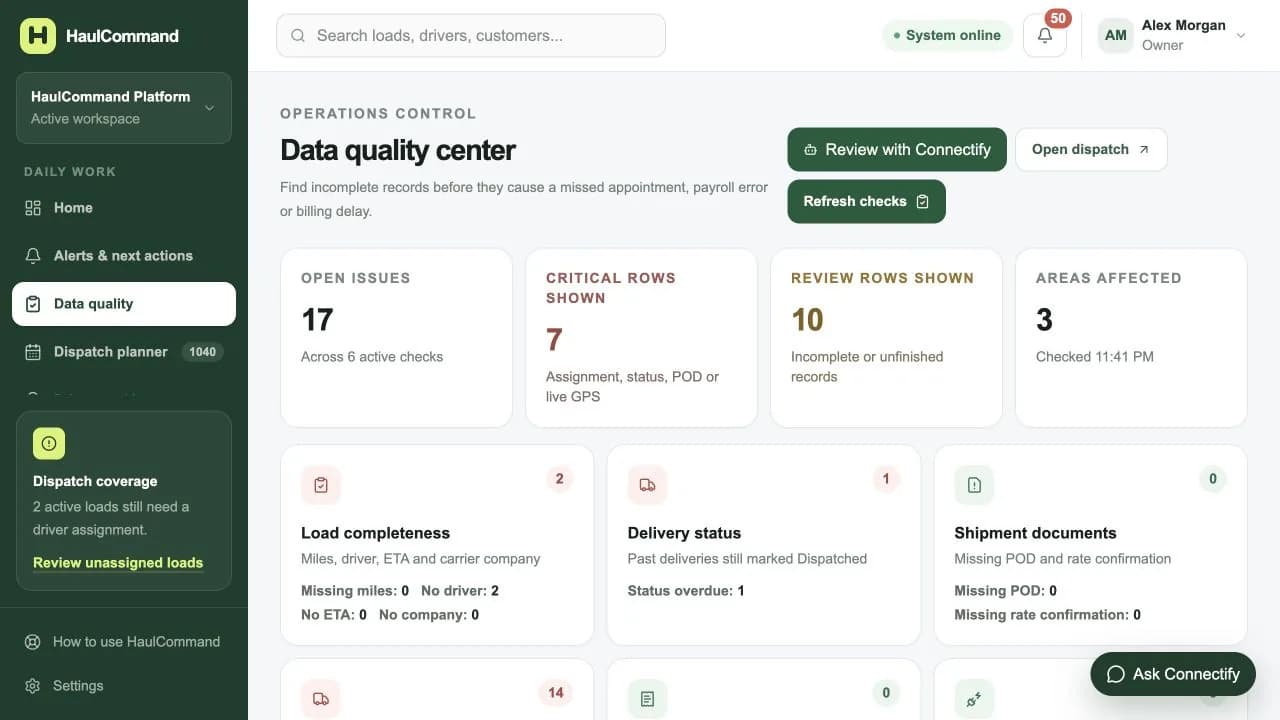
A cleaner operation every day
The quality center continuously organizes incomplete records into a practical correction queue. Each issue opens the exact record or guided action needed to resolve it.
Load completeness
Delivery status
POD and rate confirmation
Driver access and GPS
Payroll and invoice drafts
Integration health
The complete operating workspace
See every driver, unit, load, appointment window and weekly total without rebuilding a spreadsheet.
Follow the assigned trip, the next stop, ETA health and the freshness of every phone or ELD update.
Compare rate, loaded and empty miles, fuel, driver pay, factoring and expected profit in one calculation.
Keep rate confirmations, BOLs, PODs, receipts and carrier paperwork attached to the right record.
Find missing assignments, late statuses, stale GPS, incomplete documents and financial drafts before they become delays.
Organize verified jurisdiction miles, fuel-card imports and quarterly totals alongside the fleet that created them.
Easy for the entire team
Large controls, plain language, guided forms and role-based views help new users work confidently without slowing down experienced teams.
See the operation, revenue, margin, safety and team access without chasing individual updates.
Start with a prioritized workday, then act from the planner, load or alert that needs attention.
Use a simple phone portal for the next load, navigation, stops, GPS, messages, DVIR, BOL and POD.
Move from delivered load to payroll, dispatch invoice, factoring, payment aging and reporting.
Every operational record belongs to one organization. Roles control who can dispatch, manage money, change settings or administer the platform.
Multi-tenant by design
Organization-scoped operational and financial records
Role-based access for owners, dispatch and accounting
Signed secure sessions and two-factor authentication
PostgreSQL on Railway’s private service network
Create the workspace, follow the guided setup and dispatch your first load without a credit card.
Start your workspace